ZxNext Studio
A downloadable tool for Windows
ZxNext Studio
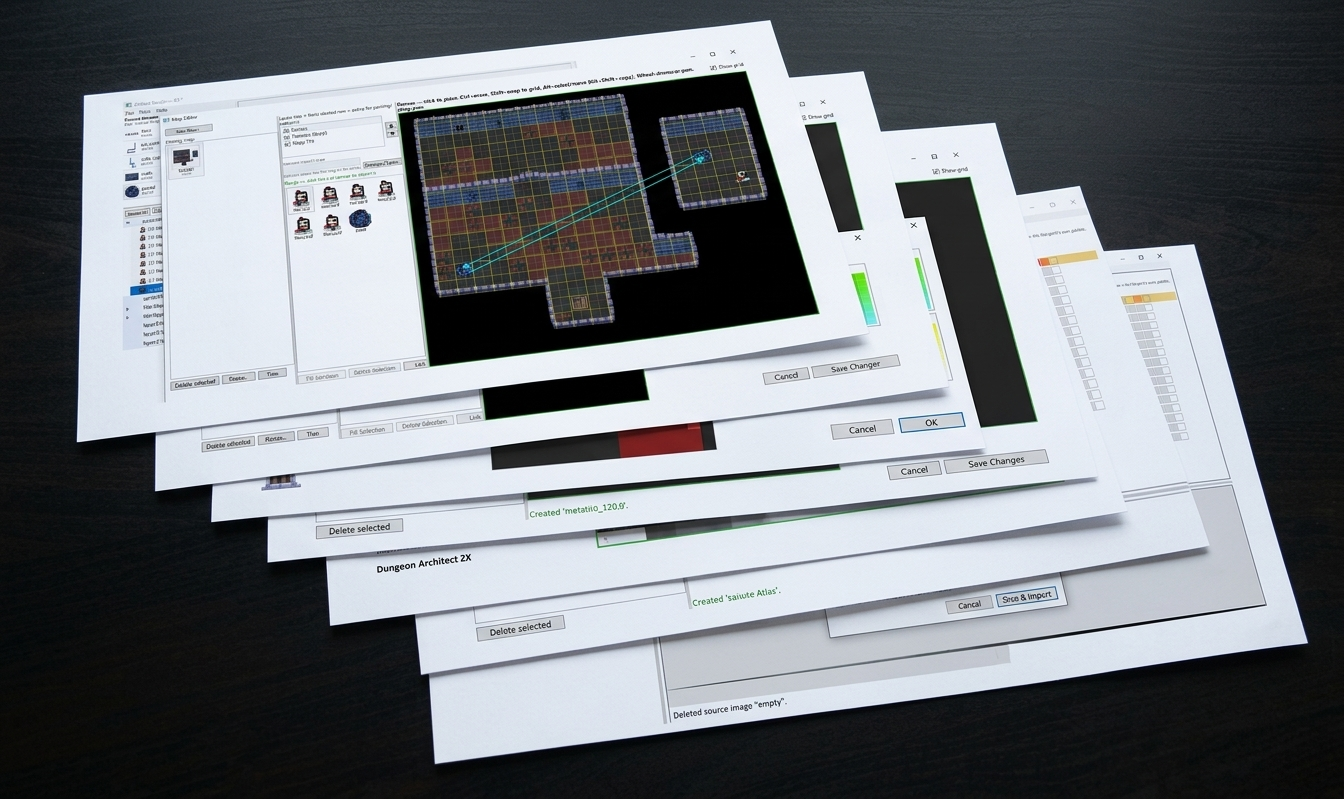
A Windows desktop tool that turns ordinary images into native ZX Spectrum Next graphics — sprites, tiles, full-screen Layer2 bitmaps, and tile-based maps with typed, linkable objects — with correct palette allocation, dithering, manual pixel/palette editing, and a ready-to-assemble Z80 export.
Import & convert
- Drag-and-drop a source image onto a category folder, or File → Import Images. Oversized images open an atlas-slicer (grid overlay, offset/spacing, duplicate-cell skipping) instead of just failing.
- Pixels are matched against the real Next-512 colour space (3 bits/channel), with per-source-image dithering: None, Ordered Bayer 4×4, or Floyd-Steinberg (applied whole-image, so slicing into tiles never creates seams).
Every Next graphics format, with the right palette model for each
- Sprite 4bpp / Tile 4bpp (16×16 / 8×8) — shared 16-slot palette bank, auto-allocated across all tiles/sprites in the category
- Sprite 8bpp / Tile 8bpp (16×16 / 8×8) — one flat 256-colour palette per folder (user sub-folders get their own)
- Layer2 256×192 / 320×256 (full screen) — one flat 256-colour palette per folder
- Layer2 640×256×4 (full screen) — one flat 16-colour palette per folder
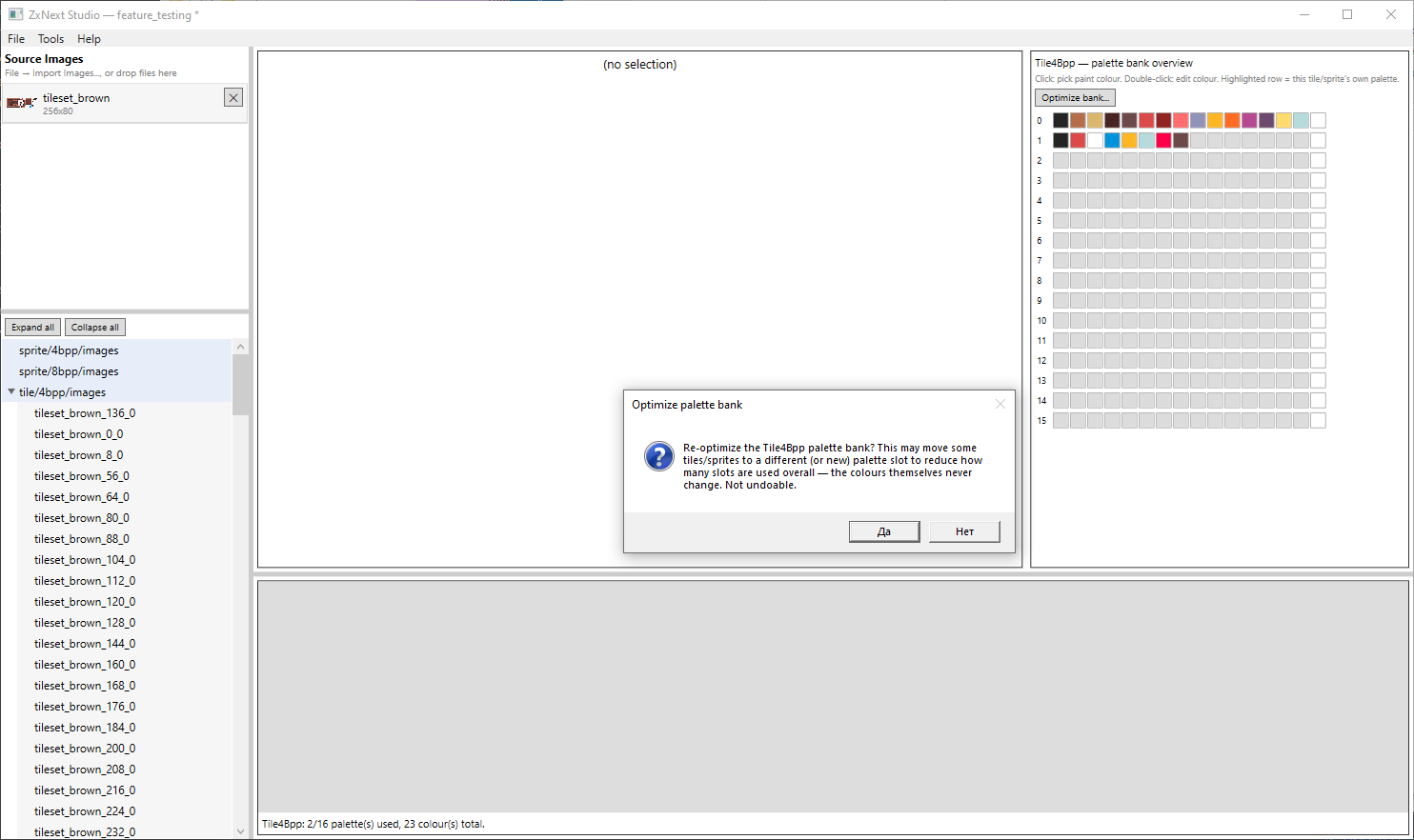
- Real 4bpp palette bucketing (subset-match → merge → new slmize bank" pass that repacks everything into the fewestpossible slots without changing any colour
Editing
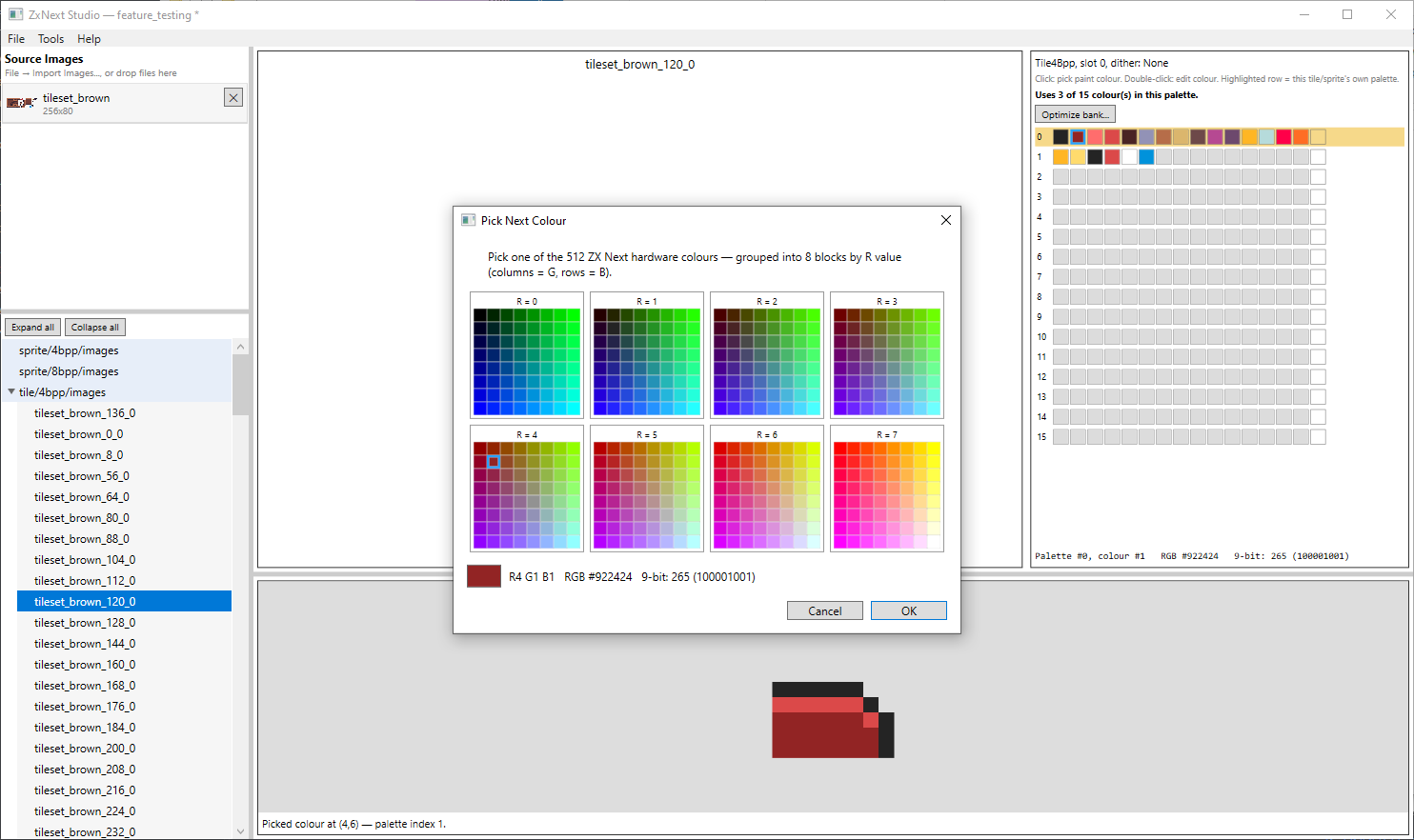
- Click-to-paint pixel editor with a genuine 512-colour picker — every colour shown is real and selectable, no silent snapping
- Palette-bank overview grid, eyedropper (Ctrl+click), full per-window undo
- Project tree with live thumbnails, real export indices, multi-select, drag-to-reorder, bulk re-quantize
Metatile & Map Editor
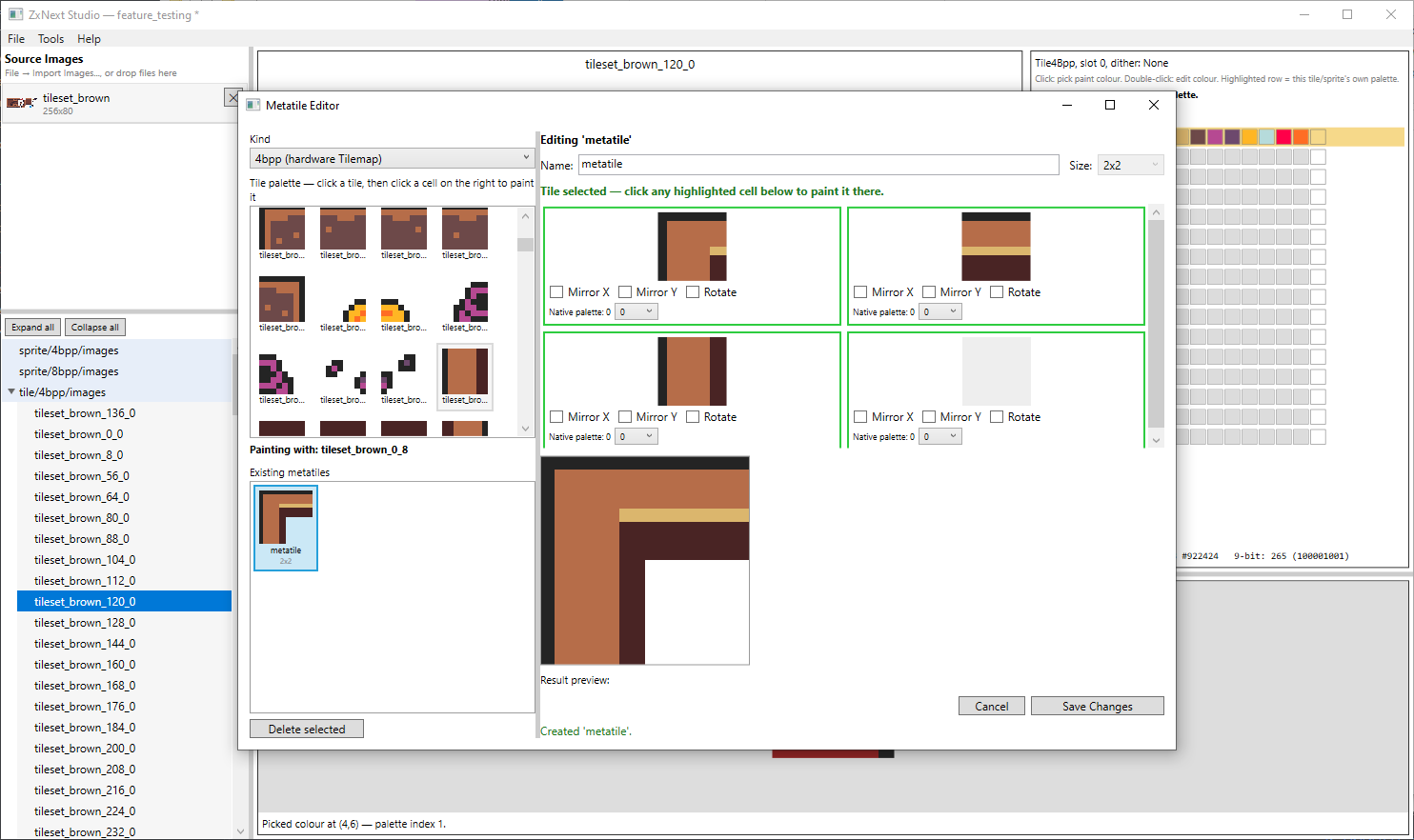
- Compose reusable metatiles (2×2/3×3/4×4) from tiles, with per-cell mirror/rotate and optional palette-slot override
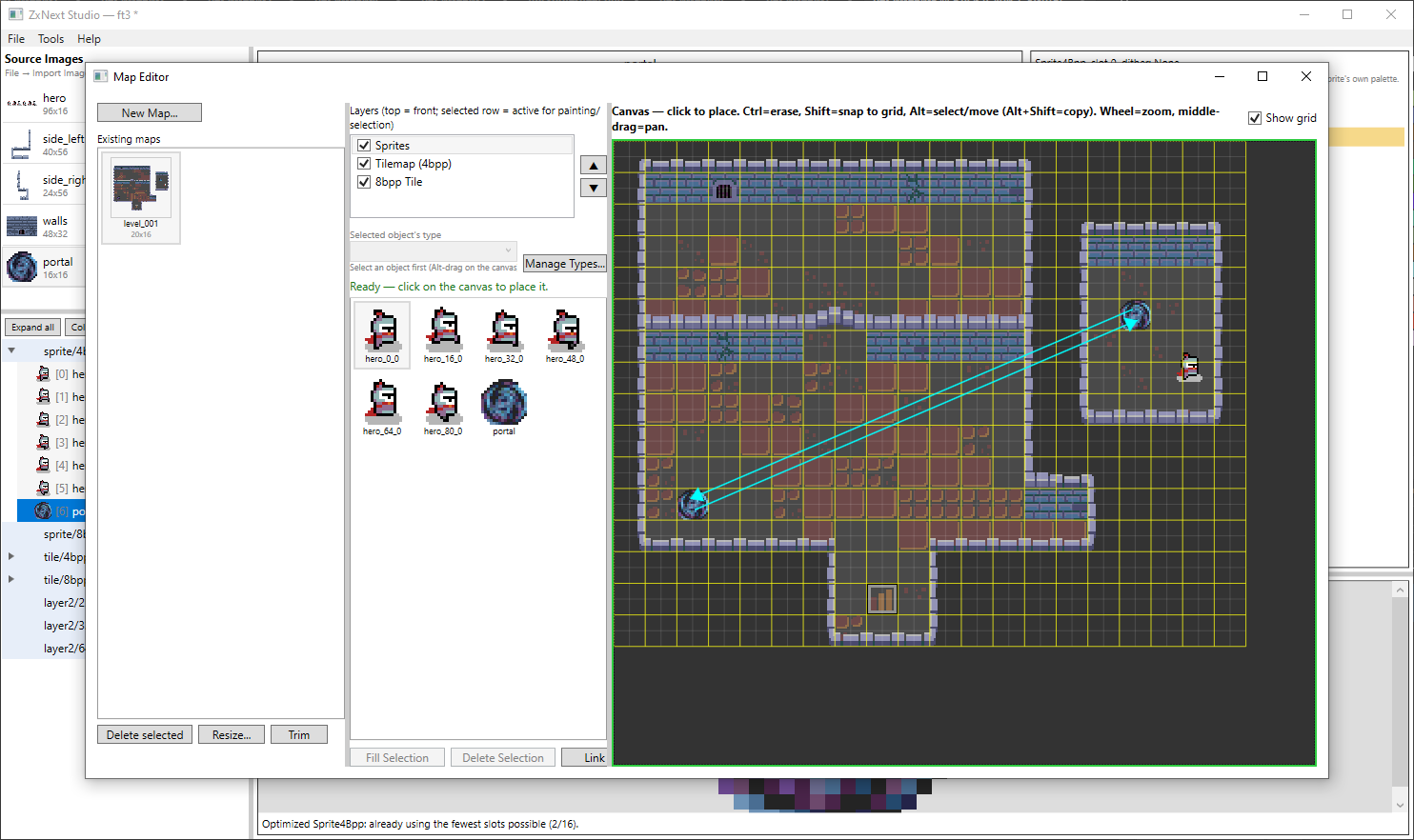
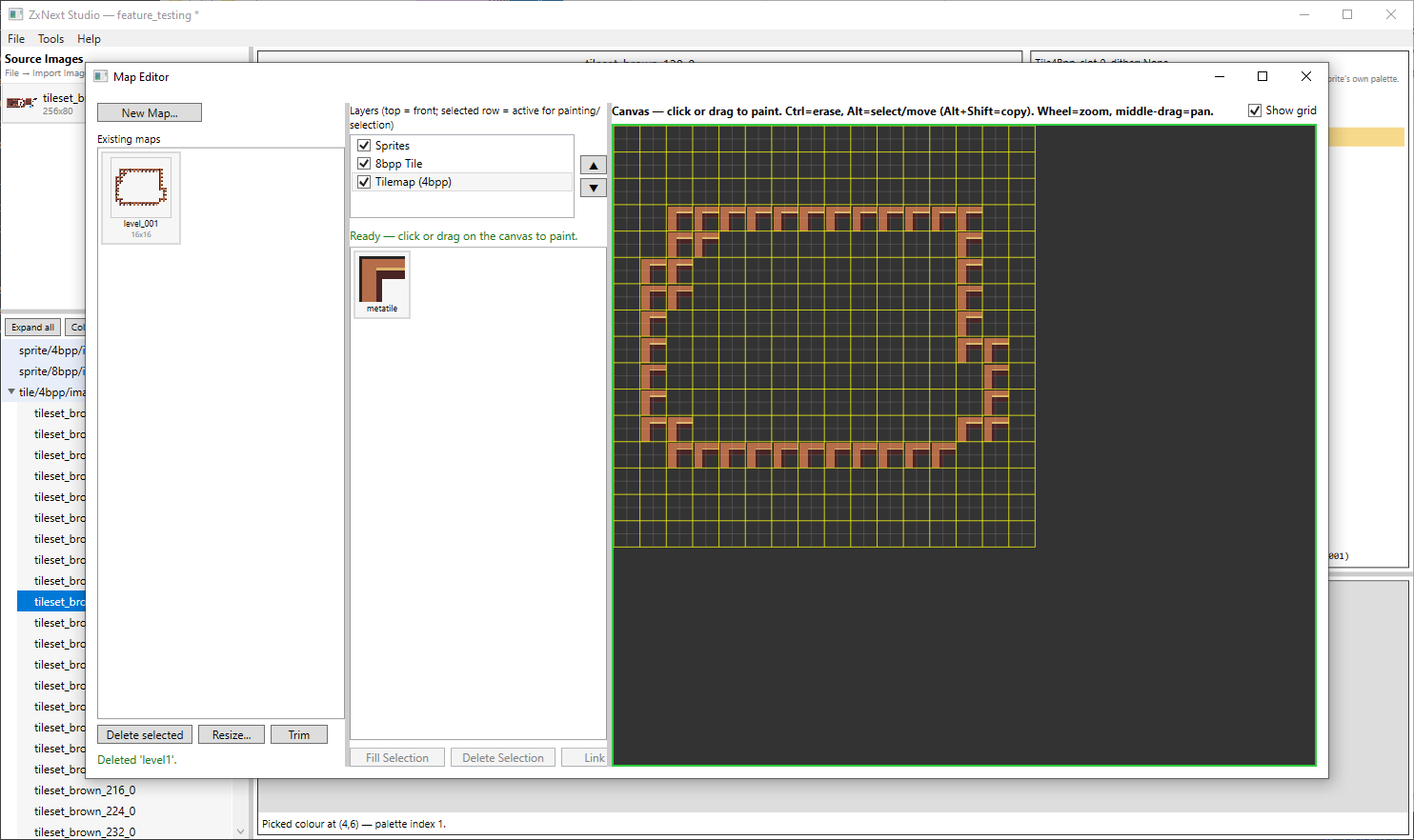
- Paint full maps across two metatile grid layers (4bpp Tileorm Sprite object layer — modifier-driven tools (paint,Ctrl-erase, Shift-snap, Alt select/move/copy), Resize/Trim
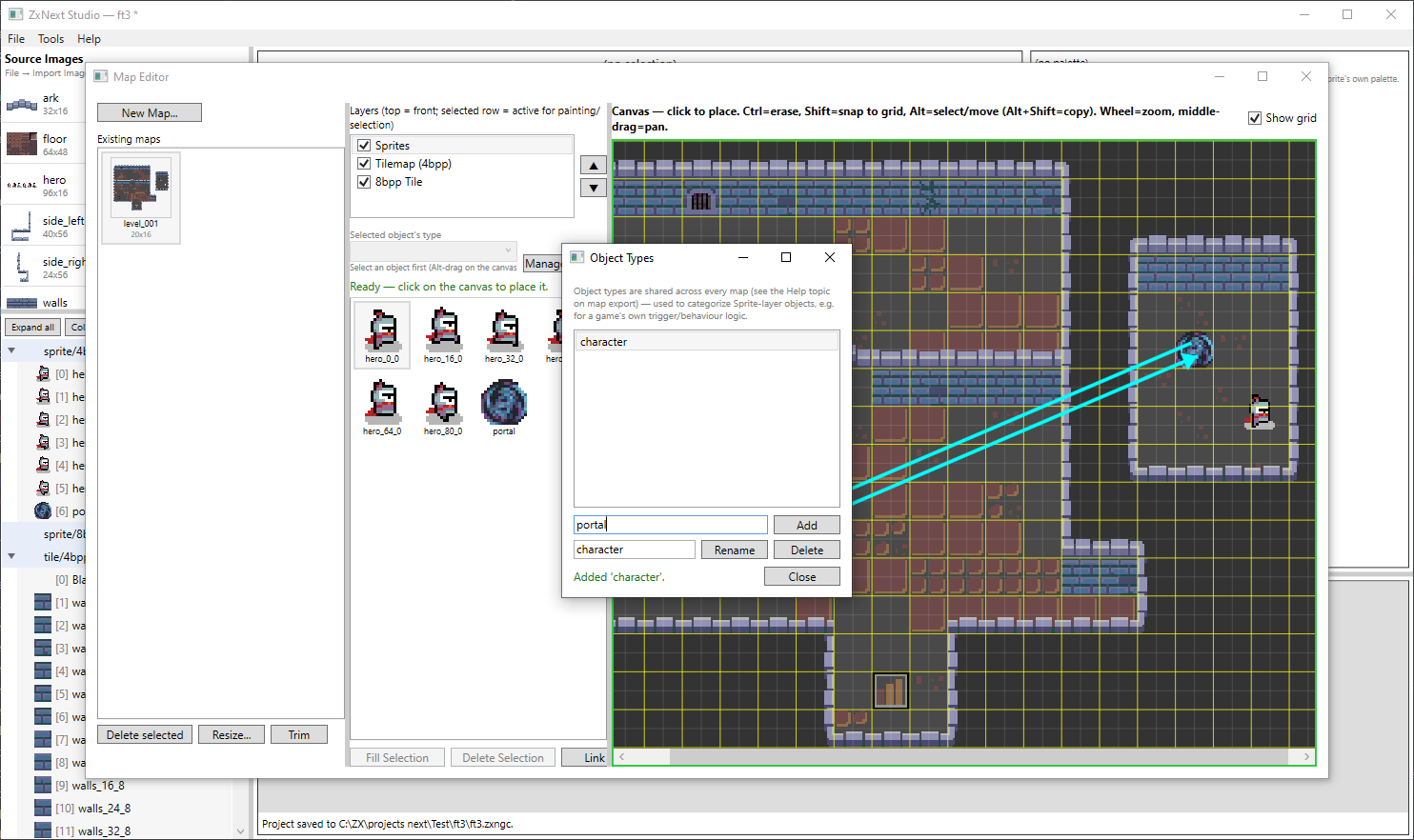
- Give any object a type, link two objects with a directed as a specific door), and attach a free-form 0-255 user byte for your own game logic
Export for real hardware
- Every asset folder (or, for Layer2, each image) packs into binary chunks with a per-row choice of chunk size (8KB/16KB/whole file) plus a matching
Z80 ASM address map
- Maps export their grid layers, metatiles, and objects as plain bytes (no chunking), plus one shared object_types.asm
- Live preview of every output row before you commit, with overwrite protection
Projects & workflow
- Saved as a single .zxngc file; recent-projects list; auto-opens the last project; unsaved-changes tracking
- In-app Help screen (F1) documenting every button, shortcut
Links:
ZxNextStudio (source & releases), ZxNextStudio-TechDemo (demo).
Support
If you find this useful, you can support its development on Patreon or Ko-fi
Download
Click download now to get access to the following files:
Development log
- ZxNext Studio v0.4.0 is out1 day ago
- ZxNext Studio v0.3.0 is out1 day ago
Comments
Log in with itch.io to leave a comment.
good